

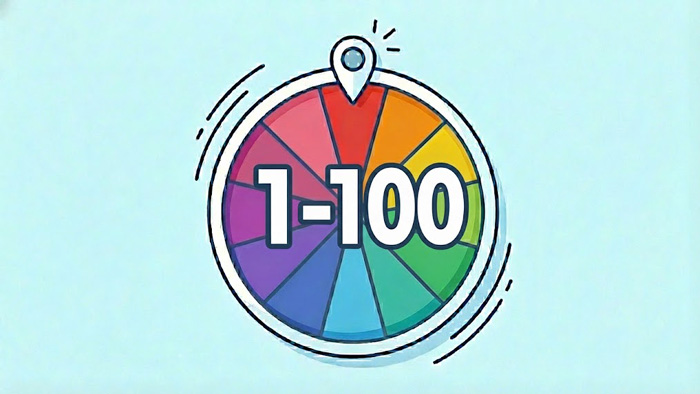
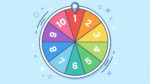
The range of 1 to 100 is the standard for everything from school raffles to percentage simulations. This random number generator 1 100 gives you a fair result instantly. You don’t need a complicated setup. Just spin the wheel to pick a number between 1 and 100. It handles the math for you and visualizes the result, so you know it’s accurate.


Why This Tool is Better Than a Simple List
Generating a number up to 100 requires a tool that is both fast for bulk data and exciting for single picks. Here is what makes ours the premium choice:
- The Visual Spin: For a range as wide as 1-100, watching the wheel spin adds a layer of engagement that plain text calculators lack. It builds suspense for giveaways.
- Instant Bulk Lists: Need 50 random numbers between 1 and 100 for a lottery simulation? You can generate up to 1000 results in one go.
- Adjustable Range: While optimized as a random number generator 1 100, you can tweak the “Range up to” field to any limit (like 50, 75, or 9999).
- Audio Interaction: Hear the wheel tick as it spins and cheer when it lands (optional and mute-able).
- Fairness Guaranteed: We use cryptographic seeding to ensure no number is ever favored.
- One-Click Export: Copy your entire list of results to your clipboard instantly for use in Excel or Google Sheets.
How Random Is It?
When dealing with 100 potential outcomes, fairness is critical. You need to know that number 100 has the exact same chance of appearing as number 1. We guarantee it.
We use the professional-grade Xoshiro256ss algorithm. Unlike basic randomize functions, we seed this algorithm using crypto.getRandomValues combined with entropy collected from your actual mouse movements. This creates a completely unique seed for every user and every spin. The result is a mathematically pure, unbiased selection that you can trust for contests, money-related raffles, or scientific modeling.
Common Uses for a 1-100 Number Picker
The number 100 is the anchor of our decimal system, making this specific generator incredibly versatile for real-world scenarios:
- Raffles and Giveaways: If you have 100 entrants in a contest, assign each person a number from 1-100 and spin the wheel to pick the winner publicly.
- Percentage Simulation: Since 1-100 represents 1% to 100%, you can use this to simulate probability events (e.g., “If I roll a number below 25, the event happens”).
- Fitness Challenges: “Burpee Roulette.” Spin the wheel to determine how many reps of an exercise you have to do in your next set.
- The “Guess the Number” Game: The classic party game. The host uses the tool to generate the secret number, and players have to guess it using “higher” or “lower” hints.
- Creative Writing Prompts: Create a list of 100 topics or characters, and use the generator to break writer’s block by forcing a random selection.
Understanding the Probability
When you pick a number from 1 to 100, you are dealing with a broad uniform distribution. The math is simple but strict:
- Every Number: Has exactly a 1% chance of being selected.
- Fairness: Over a sample of 10,000 spins, each number (from 1 to 100) will appear approximately 100 times.
This flat probability curve is essential for fairness. Our tool ensures that “lucky numbers” like 7 or 11 do not appear more often than numbers like 68 or 92.
Why Use a Visual Wheel for 100 Numbers?
Trust is the main factor. In a digital raffle or classroom setting, people are skeptical of a computer program that just flashes “Winner: 42”. By showing the wheel spinning, decelerating, and passing other numbers before stopping, you provide “visual proof” of the process. It feels more like a physical drawing of lots, which satisfies the human need for transparency.
How to Generate Large Data Sets
If you are a student or data analyst needing to pick a number between 1 and 100 repeatedly for a homework assignment or spreadsheet model, manual spinning is too slow. Use the bulk feature:
- Set the “How many numbers” input to your target (e.g., 100, 500).
- Press “Generate”.
- The wheel will spin once for effect, while your complete dataset is generated instantaneously in the results box.
- Click “Copy results” to paste the data directly into your work.
CalcuLife.com





Leave A Comment