

The Random Emoji Generator – Ultra Edition creates random emojis and emoji sets for messages, usernames, bios, captions, games, design drafts, and social posts. Choose how many emojis you need, pick a category, select a separator, and generate a copy-ready result instantly. Enjoy!


What This Random Emoji Generator Does
This tool can generate one emoji or a large emoji set from different categories, including smileys, people, animals, food, travel, activities, objects, symbols, and flags. You can keep the emojis together with no space, separate them with spaces, commas, dashes, or place each emoji on a new line.
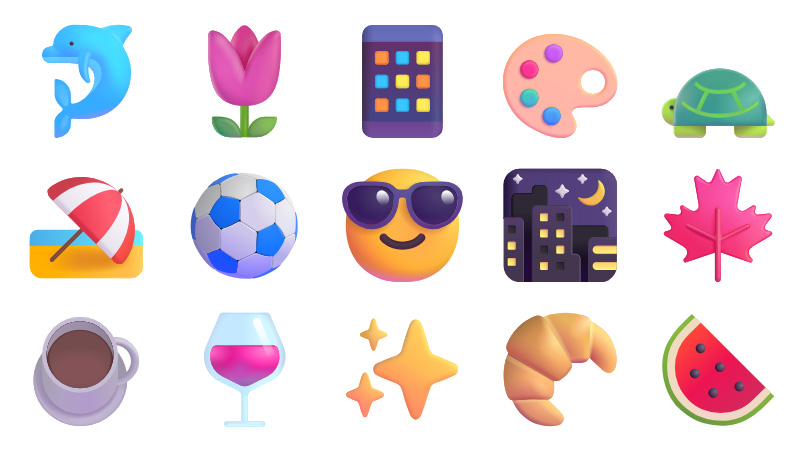
Some results of our generator
How to Use It
- Enter the number of emojis you want.
- Choose an emoji category, or keep All emoji.
- Select a separator.
- Choose whether duplicate emojis are allowed.
- Click Generate Emojis.
Emoji Categories
| Category | Best For |
|---|---|
| Smileys and emotion | Reactions, chats, jokes, comments, and moods |
| People and body | Gestures, roles, activity icons, and human-related emoji sets |
| Animals and nature | Cute bios, nature posts, pets, seasons, and outdoor themes |
| Food and drink | Restaurant posts, menus, recipes, food captions, and party themes |
| Travel and places | Trips, maps, vacations, cities, transport, and weather themes |
| Activities | Sports, games, music, hobbies, events, and celebrations |
| Objects | Work, school, tech, tools, money, clothes, and everyday items |
| Symbols | Hearts, arrows, signs, numbers, warnings, buttons, and emphasis |
| Flags | Countries, regions, international posts, travel, and language pages |
Why Some Emojis Look Different
Emojis are text characters, but their design depends on the device, operating system, app, and font. The same emoji can look slightly different on iPhone, Android, Windows, macOS, and different social platforms.
CalcuLife.com







Leave A Comment