

This page explains how Passive Perception works in fifth-edition play and shows how to use the calculator below for fast, rules-accurate results. It covers the formula, proficiency scaling, common modifiers, adjudication tips for GMs, worked examples, and edge cases. Use it as a quick reference during session prep or at the table.


How to use the calculator
- Enter your Wisdom score. The tool converts this to the correct modifier automatically.
- Select your character level. This sets the proficiency bonus shown below it.
- Choose Perception proficiency status: not proficient, proficient, or Expertise.
- Pick advantage state if a feature applies. Advantage adds +5, disadvantage subtracts 5.
- Check Observant if you have the feat. That adds +5.
- Add any miscellaneous bonus from items, class features, boons, or situational effects.
- Read the large result. The breakdown chips show every component added to the total.
What is Passive Perception
Passive Perception models background awareness when a character is not actively searching. It is used to notice hidden creatures, spot traps, catch whispered conversations, and read subtle details without a die roll. It equals a reliable baseline performance for repeated checks against the same difficulty, avoiding constant rolling and table slowdown.
Official formula
Passive Perception = 10 + Wisdom modifier + proficiency bonus (if proficient; double if Expertise) + Observant (if taken) ± advantage state (+5 or −5) + other modifiers (magic items, features, conditions).
Proficiency bonus by level
| Levels | Proficiency Bonus |
|---|---|
| 1–4 | +2 |
| 5–8 | +3 |
| 9–12 | +4 |
| 13–16 | +5 |
| 17–20 | +6 |
When to use Passive Perception at the table
- Repeated or ongoing awareness challenges where rolling each time would be tedious.
- Hidden creatures moving through a scene at stealth vs. the party’s background alertness.
- Room dressing and clues that careful characters would notice without calling for a search.
- Foreshadowing danger while keeping pacing brisk between encounters.
Advantage, disadvantage, and why the calculator uses ±5
For passive values, advantage increases reliability and disadvantage reduces it. A widely adopted table practice is to translate advantage to +5 and disadvantage to −5 for passive scores. It keeps results consistent with the expected value shift of advantage while avoiding on-the-fly math.
Observant feat and other common modifiers
- Observant: adds +5 to Passive Perception if the feat is taken.
- Expertise: doubles proficiency before adding it.
- Items and features: goggles, cloaks, class features, boons, or blessings may add fixed bonuses; enter them in the miscellaneous field.
- Conditions and environments: heavy obscurity or deafening noise might impose disadvantage; bright light, silence, or magical assistance can remove it.
Five worked examples
- Scout at level 5: WIS 14, proficient, no feat, normal. Total = 10 + 2 + 3 = 15.
- Keen-eyed rogue at level 9: WIS 16, Expertise, normal. Total = 10 + 3 + (2×4) = 21.
- Wizard with Observant at level 7: WIS 12, proficient, Observant, normal. Total = 10 + 1 + 3 + 5 = 19.
- Ranger in a sandstorm at level 13: WIS 18, proficient, disadvantage. Total = 10 + 4 + 5 − 5 = 14.
- Cleric with magic aid at level 17: WIS 20, proficient, advantage, +2 item. Total = 10 + 5 + 6 + 5 + 2 = 28.
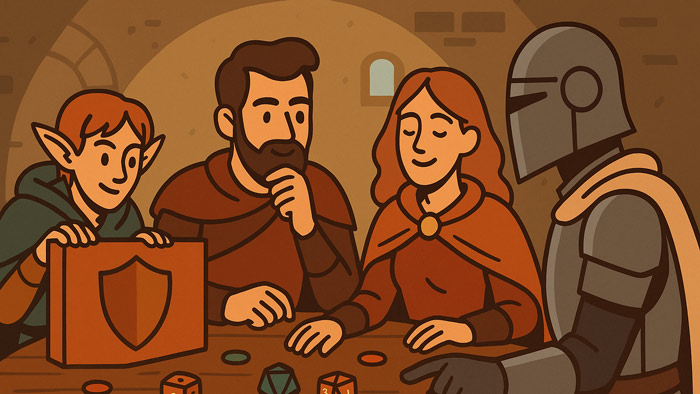
GM guidance: setting DCs and using group awareness
- Compare each character’s Passive Perception against a hidden DC. Anyone meeting or beating the DC notices.
- For party flow, precompute each character’s passive and keep them on a session sheet.
- Use the highest passive for low-stakes background details. Use individual passives for traps, ambushes, or secrets near a single character.
- If a character declares an active search, switch to a roll instead of passive for that character.
Common mistakes to avoid
- Adding level to the total. Level never adds directly. It only changes proficiency.
- Forgetting to double proficiency when Expertise applies.
- Stacking advantage sources. Advantage does not stack; it is either on or off.
- Applying Observant without the feat. Confirm the character actually has it.
- Ignoring environmental effects that should grant disadvantage or remove it.
Troubleshooting your number
- If your total looks off, recheck the Wisdom modifier. A score of 8 is −1, 10 is 0, 12 is +1, 14 is +2, 16 is +3, 18 is +4, 20 is +5.
- Confirm proficiency status. Proficient adds the listed proficiency bonus; Expertise doubles that bonus.
- Review temporary effects. Turn the advantage selector on only while those effects last.
- Reenter item bonuses in the miscellaneous field rather than trying to fold them into other inputs.
Quick reference: Wisdom score to modifier
| WIS | Mod | WIS | Mod | WIS | Mod |
|---|---|---|---|---|---|
| 8 | −1 | 12 | +1 | 16 | +3 |
| 10 | +0 | 14 | +2 | 18 | +4 |
| 20 | +5 | 22 | +6 | 24 | +7 |
FAQ
Does Passive Perception replace active checks
No. It covers background awareness. If a player says they search or investigate, use active rolls.
Do expertise and Observant stack
Yes. Double proficiency for Expertise, then add the feat’s +5.
How do magical senses interact
Senses that broaden what can be perceived can justify advantage or a situational bonus as ruled by the GM.
Session prep checklist
- Record each character’s Passive Perception with and without situational modifiers.
- List DCs for traps, ambush points, and hidden clues in upcoming scenes.
- Note any features that change advantage state so you can toggle them quickly.
Summary
Use the calculator to get a fast, transparent Passive Perception. Keep the result on your character sheet. Apply proficiency correctly, remember expertise and Observant, and adjust for advantage or disadvantage when conditions demand it.
Would you like to have any other tools? Let us know in the comments!
CalcuLife.com








Leave A Comment