

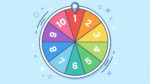
Need to make a quick decision or settle a tie? This random number generator 1 3 tool is designed to do exactly that. Whether you are trying to pick a number between 1 and 3 for a contest, a game, or just to break a deadlock, this tool handles the math for you. Unlike simple text outputs, our tool visualizes the process with a spinning wheel, giving you a clear, unbiased result every single time.


Main Features of This Generator
We built this tool to be more than just a simple calculator. It offers a premium experience for generating random numbers:
- Visual Spinning Wheel: Watch the wheel spin and land on your number. It adds suspense and confirms that the choice was made in real-time.
- Bulk Generation: Need more than one result? You can generate a list of 100, 500, or even 1000 numbers at once.
- Customizable Range: While set to random number 1 3 by default, you can change the “Range up to” field to anything you need (up to 9999).
- Audio Feedback: Enjoy satisfying ticking sounds as the wheel spins and a cheer when it finishes (toggleable).
- Entropy-Based Randomness: We use advanced algorithms to ensure true unpredictability.
- Copy to Clipboard: Easily copy your results list with a single click.
How Random Is It?
You might be asking, can I trust this result? The answer is an absolute yes. We don’t cut corners with simple scripts; this tool is engineered for genuine unpredictability.
Under the hood, this tool utilizes the industrial-strength Xoshiro256ss RNG algorithm seeded with crypto.getRandomValues. It even gathers entropy from your mouse movements and scrolling to generate the unique seed for every spin. This means the result is mathematically unpredictable and unbiased. You can bet on these results being completely fair, whether you are running a high-stakes giveaway or just deciding who pays for lunch.

Common Uses for a 1-3 Number Picker
Why is the search for a random number generator 1 3 so popular? Because the number 3 represents the most common decision-making structure in human psychology.
- Tie-Breaking: When two people disagree, a third option (the random number) acts as the perfect impartial mediator.
- Rock, Paper, Scissors: This classic game is a 1-in-3 probability loop. You can simulate it by assigning 1 to Rock, 2 to Paper, and 3 to Scissors.
- Sampling and Split Testing: If you are running an A/B/C test for marketing, you can use this tool to randomly assign users to group 1, 2, or 3.
- Board Games: Many RPGs and tabletop games require a “d3” die roll. Since 3-sided dice are rare, this digital tool is the perfect substitute.
Understanding the Probability
When you pick a number from 1 to 3, you are dealing with a uniform distribution. Here is the breakdown of your odds:
- Number 1: 33.33% chance
- Number 2: 33.33% chance
- Number 3: 33.33% chance
Our tool ensures that over a long period (large sample size), the results will flatten out to these exact percentages, ensuring no number is “lucky” or favored over the others.
Why Use a Visual Wheel?
While a text-based random number generator is functional, a visual wheel increases trust. When you are using this tool in a classroom, a stream, or a meeting, showing the wheel spinning removes the suspicion that the result was pre-determined. It provides “transparency by animation,” allowing all viewers to see the deceleration and the final selection moment.
How to Generate Large Sets
If you need to pick a number between 1 and 3 hundreds of times for statistical modeling or data simulation, you don’t have to click the button repeatedly. Simply:
- Set the “How many numbers” field to your desired amount (e.g., 50 or 100).
- Click “Generate”.
- The wheel will spin for the first result, and the rest will rapidly populate in the results box below.
- Click “Copy results” to paste them into Excel or your notes.
CalcuLife.com








Leave A Comment