

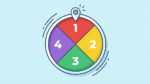
Type or paste names one per line, then click Spin the wheel. Want a cleaner full screen vibe for a stream or a classroom projector? Toggle Hide the input box so only the wheel shows. You can also shuffle or sort the list, and after each spin, remove the winner to avoid repeats.


Frequently asked questions
How “random” is this name wheel, really?
It uses your browser’s built-in cryptographic randomness (Web Crypto) and mixes in unpredictable timing and interaction signals to create a strong seed. The wheel animation is just the show. The winner is chosen fairly by the picker logic, not by the speed of the spin.
Is it private?
Yes. The names you enter stay on your device. Nothing gets uploaded or saved on our servers.
Can someone game the result by clicking at the “right moment”?
Nope. Clicking faster, slower, or at a specific moment doesn’t help. The pick is determined by the random selection, and the spin simply animates to that outcome.
Does every name have the same chance?
Yes. Each line is one entry, and every entry is equally likely to be selected.
What do people use this for?
- Giveaways and raffles (live streams, Discord, comment sections).
- Calling on someone in class or choosing who goes first.
- Splitting a group into teams without bias.
- Picking chores, weekly responsibilities, or volunteer slots.
- Choosing a restaurant, movie, game, or road trip stop.
- Content ideas: topic picks, prompts, workouts, challenges.
Can I put something other than names?
Absolutely. Use it for prizes, tasks, options, teams, topics, dares, snack picks, anything. One item per line.
What does “Hide the input box” do?
It collapses the list panel and gives the wheel the whole space. Great for screen sharing, presenting, or when your list is already locked in.
Why would I use Shuffle or Sort?
- Shuffle mixes the list order if you want a fresh layout before spinning.
- Sort puts entries in A to Z order so it’s easy to double-check who’s included.
Can I remove the winner and spin again?
Yep. When the winner pops up, click the button to remove that name and spin again right away. Perfect for picking multiple winners with no repeats.
Is there a limit on how many entries I can add?
For most normal use, you’re fine. With huge lists, the wheel slices get very thin and labels may be shortened to keep things readable. The winner screen will still show the full selected entry.
Why can’t I read every name on the wheel?
When you have lots of entries, there just isn’t enough space for full labels on every slice. That’s normal for any wheel picker. The result screen is the source of truth.
Can I suggest new features?
Yes, and it actually helps. Drop a comment with what you want and how you’re using the tool. If enough people ask for the same thing, we’ll prioritize it.
CalcuLife.com







Leave A Comment