

This Grey-Green Color Blindness Test is an Ishihara-style screening that estimates how well you can detect green numerals embedded in near-neutral grey dot fields. It suits users who notice confusion between grey and green in maps, UIs, textiles, or charts; students in vision science; and anyone curious about color perception. It has an adaptive difficulty, reports accuracy, timing, and gives scientific conclusions.
Ishihara Grey–Green Color Discrimination Test
This test evaluates your ability to distinguish green chromatic signals against near-neutral grey backgrounds using adaptive Ishihara-style plates.
Test Instructions (Grey–Green)
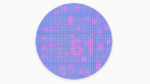
- Look at the circle and identify the number formed by the coloured dots (green vs grey background)
- Type the number you see in the input field and click Submit
- If you cannot see a number, you can click Skip
- The test adapts to your performance — correct answers reduce grey–green separation
- Complete all 20 plates for a comprehensive assessment
- Ensure neutral lighting; disable colour boosting / night mode / HDR
- The test measures your response time for each plate
Test Results


How to use the test
- Prepare the display: disable night mode, blue-light filters, HDR, and any color boosts; use neutral room lighting.
- Viewing: sit at a comfortable distance with the screen centered and steady.
- Run: start the green gray color blind test and inspect each plate.
- Respond: type the number you see (1-99) and submit, or choose Skip if none is visible.
- Adaptation: correct answers increase challenge; errors or skips reduce it.
- Results: review total score, highest difficulty reached, average or median response time, and a short interpretation.
- Interpretation guide: consistent success at higher levels suggests typical grey-green discrimination; difficulty at easier levels may suggest a deficit and warrants clinical testing.
Features of the test
- Plates and rendering: 20 procedurally generated Ishihara-like circles per run; numerals use a green hue band while backgrounds are near-neutral greys with matched lightness to limit luminance cues.
- Input and feedback: integer input (1-99), Submit and Skip, with instant “Correct,” “Incorrect” (reveals target), or “Skipped.”
- Adaptive difficulty: a continuous difficulty variable mapped to seven labels (Very Easy → Extreme). Correct streaks raise difficulty; mistakes lower it.
- Extreme refinement: at the top tier the engine applies small hue-difference and saturation micro-steps to probe thresholds.
- Dot layout realism: randomized dot grids, multi-size tiling, overlap limits, and non-numeric micro-shapes outside the numeral mask to reduce edge artifacts.
- Timing metrics: per-plate timers plus median/average summaries; brief input lock between plates prevents double submissions.
- Scoring and analytics:
- Score n/20 and accuracy %.
- Per-level table (attempts, correct, accuracy for levels 1-7).
- Mastery metric (weighted accuracy across difficulty levels).
- Threshold proxy: smallest successfully resolved scaled hue separation (Δh).
- Headline category: Excellent / Good / Mildly reduced / Moderately reduced / Markedly reduced based on the threshold proxy.
- Operation summary: the engine reduces chromatic separation between green numerals and grey backgrounds across levels while holding lightness near parity; results reflect your ability to use chromatic, not luminance, cues.
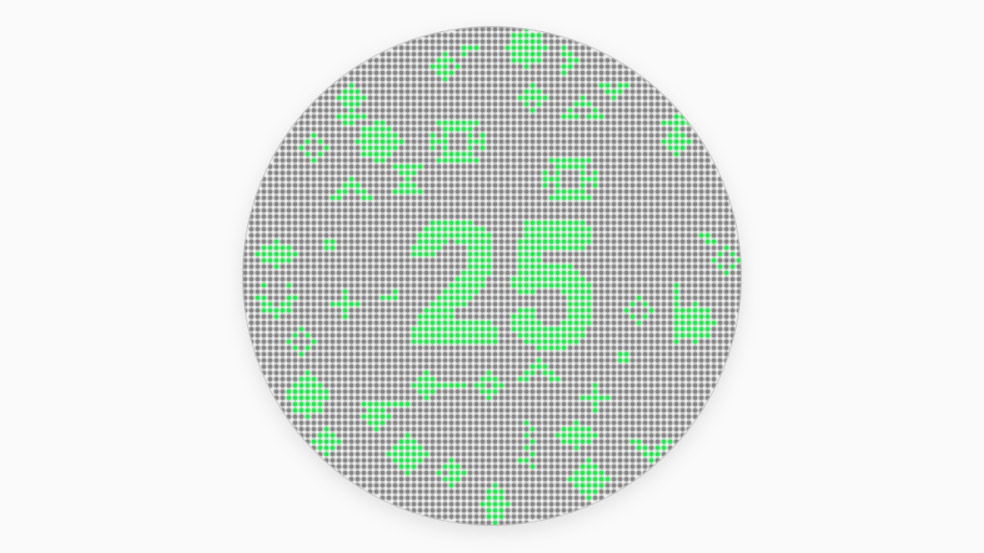
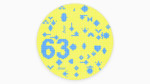
Grey-green plate with number 25 on it (Ishihara-style)
Understanding Grey-Green Vision and Its Impact
Grey-green confusion is not a classic category like red-green or blue-yellow, but it still matters in practice. Many users struggle with green signals placed on low-chroma grey backgrounds, especially in maps, dashboards, or user interfaces where subtle hues carry meaning.
Clinical background
- Red-green pathways: Most inherited deficiencies are protan (red) or deutan (green). Grey-green confusion can be a side effect of reduced green sensitivity.
- Acquired causes: Cataract, macular degeneration, glaucoma, diabetic retinopathy, optic neuropathies, or even medications can shift color sensitivity.
- Testing standards: Clinical tools include the Farnsworth D-15 and desaturated D-15 arrangement tests, plus automated hue-discrimination tasks.
Display and environment factors
Online grey-green tests depend on your screen:
- Calibrated displays and neutral lighting improve reliability.
- Night mode, HDR, or color filters distort results.
- Lightness control is key-if green and grey differ in brightness, luminance cues can hide real deficits.
Practical impact
- Design and accessibility: Green text or icons on grey backgrounds may be hard to spot.
- Safety and navigation: Maps, aviation displays, or transport systems often use green signals against neutral tones.
- Everyday life: Choosing fabrics (e.g., grey vs olive), reading graphs, or spotting alerts in software.
What to do if issues persist
- Repeat the test under daylight-like lighting on another display.
- Use redundant cues (shapes, labels, motion) in design.
- Seek formal testing if reduced grey-green sensitivity persists.
FAQ
- Is this diagnostic? – No. It is a screening tool. Only a clinical exam can diagnose a color vision deficiency.
- What does a low Δh threshold mean? – You could resolve very small hue separations, indicating stronger grey-green discrimination.
- Can lighting or screens affect results? – Yes. Ambient light, display calibration, and filters can shift apparent difficulty.
- Is grey-green loss the same as deutan or protan? – Not necessarily. Deutan/protan (red-green) anomalies are common; this test specifically probes green on low-chroma grey, which can reveal different usability issues.
- Can training fix color blindness? – No established training restores congenital deficits. Accessibility tactics and better palettes can mitigate impact.
- Who should try this? – Anyone who struggles to spot green indicators on grey UIs, maps, or charts, or who needs a quick self-check before formal testing.
- What if my results are poor? – Re-test under neutral lighting on another display. If difficulty persists, seek a clinical deuteranomaly test or protanopia test as appropriate.
Sources and references
- American Academy of Ophthalmology – How Color Blindness Is Tested
- NCBI Bookshelf – Classification of Color Vision Defects
- Wikipedia – Color vision test
What are your results? Would you like to see any features in the test? Let us know in the comments below!
CalcuLife.com




Leave A Comment