

Calculate pixel dimensions, image sizes, and aspect ratios instantly with this visual tool. Designed for developers, videographers, and designers, this Aspect Ratio Calculator determines the exact proportions of your content and compares it against industry standards like 16:9, 4:3, and 9:16. Stop guessing how many pixels to crop. Get precise formulas to resize images or video containers while maintaining the perfect scale. This calculator is free, no registration or email needed.
Aspect Ratio Calculator With Visualization


How To Use This Tool
Enter values into any two fields to calculate the third. The tool operates in two modes:
- Find Aspect Ratio: Enter Width and Height (in pixels). The tool calculates the ratio, orientation, and closest standard.
- Calculate New Dimensions: Enter one dimension (e.g., Width) and select a Target Aspect Ratio preset (or type your own). The tool calculates the required height.
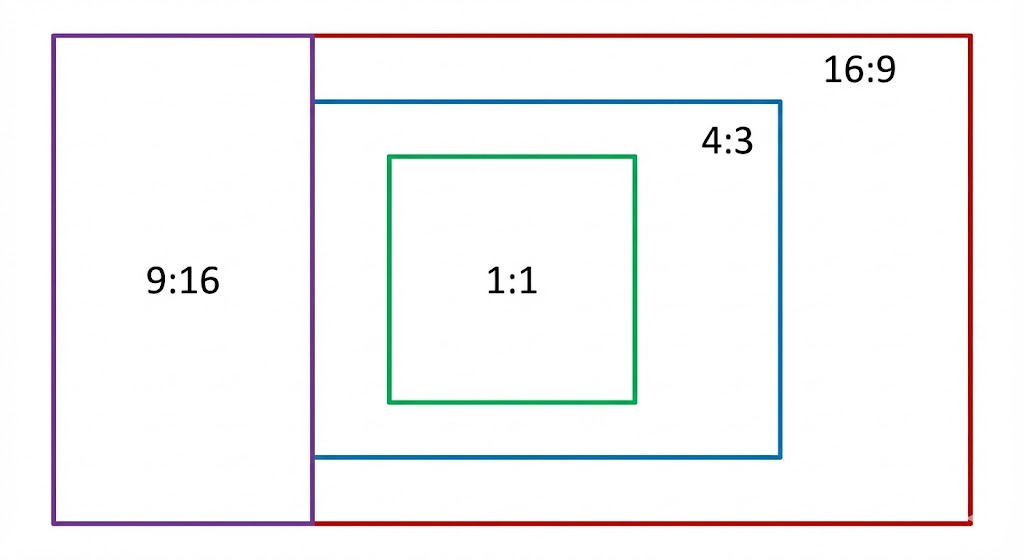
Aspect ratios comparison
Understanding the Results
This tool breaks down the mathematical relationship between width and height into four actionable data sections.
1. The Reality Block
This section displays your raw input data.
- Actual Ratio: The exact decimal ratio (e.g., 1.778) derived from your pixels.
- Orientation: Classifies the media as Landscape, Portrait, or Square.
2. The Visualizer
Visual context is critical for cropping. The canvas overlays your input dimensions (Teal) against the closest standard aspect ratio (Red dashed line). This visualization helps you immediately see if your image is too wide or too tall for the target frame.
Common comparisons include standard video formats versus photography formats.
3. Comparison & Accuracy
We match your dimensions against a database of standards (Video, Cinema, Social Media).
- Closest Standard: The nearest industry format (e.g., 16:9 HD).
- Match Accuracy: A percentage indicating how close you are to the standard. 100% indicates a mathematically perfect match.
4. Correction Data (How to Fix It)
If your ratio does not match the standard 100%, you may need to crop or resize. We calculate the two exact paths to perfection:
- Scenario A (Keep Width): Calculates the required Height if you cannot change the Width. It displays exactly how many pixels to add or remove.
- Scenario B (Keep Height): Calculates the required Width if you cannot change the Height.
5. Technical Data
Advanced metrics for development and file management:
- Diagonal: The hypotenuse length in pixels.
- GCD (Greatest Common Divisor): The largest integer dividing both dimensions, used to simplify fractions.
- Total Pixels: Total pixel count for estimating uncompressed memory usage.
- CSS Snippet: Copy-paste code for web containers.
Frequently Asked Questions
What is the most common Aspect Ratio?
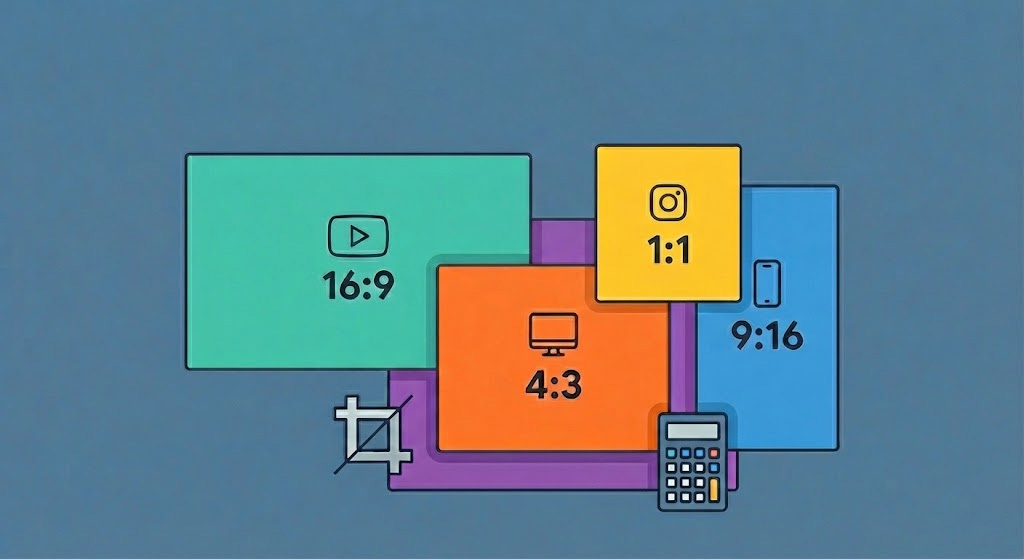
16:9 is the standard for HDTV, web video, and most computer monitors. 9:16 is the standard for mobile social media (Stories, Reels, TikTok). 4:3 is common for tablets and legacy TV.
How do I calculate Aspect Ratio manually?
Divide the width by the height. For example, 1920 divided by 1080 equals 1.777 (which is 16 divided by 9).
Why does the result say “Too Wide”?
“Too Wide” means your image width exceeds the target ratio relative to its height. To fix this, you must either reduce the width (crop the sides) or increase the height (add padding to top/bottom).
Request Features
We update this tool regularly based on user feedback. If you would like some features added, let us know in the comments below.
CalcuLife.com




Leave A Comment