

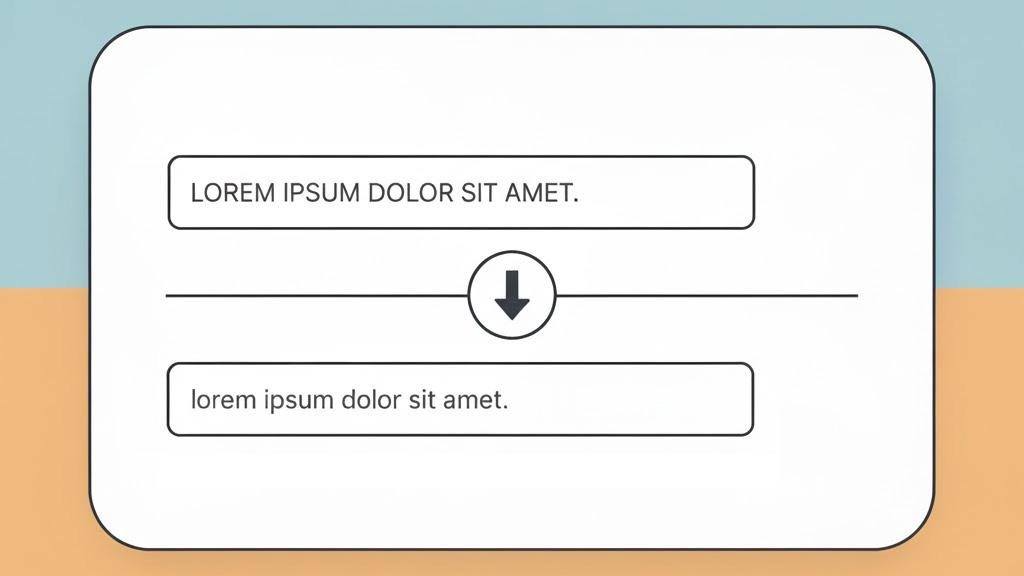
Caps to Lowercase Converter helps you convert capital letters to lowercase instantly. Paste your text, click one button, and the tool turns any UPPERCASE text into clean lowercase while keeping everything else the same: numbers, punctuation, spacing, and line breaks. It is perfect for fixing accidental Caps Lock typing, cleaning copied all-caps paragraphs, and normalizing text for SEO, emails, notes, and documents.


Features
1) Convert uppercase to lowercase in one click
Press Convert UPPERCASE to lowercase to change all capital letters to lowercase instantly. This is the fastest way to fix text that was typed or pasted in all caps.
2) One-box editing (no output window)
The tool edits your content directly in the same text box. You can keep typing, adjusting, or pasting more text without switching between input and output.
3) Preserves formatting and symbols
Only letter casing changes. The converter keeps:
- Numbers (example: 12345 stays 12345)
- Punctuation (commas, periods, quotes, dashes, etc.)
- Spaces and line breaks (paragraphs remain exactly as you pasted them)
4) Copy text
Copy text copies the updated text to your clipboard so you can paste it into a WordPress post, email, chat, document, spreadsheet, or code editor.
5) Download .txt
Download .txt saves the current text as a plain text file. This is useful when you are cleaning long content and want to store the result or send it to someone.
6) Clear
Clear empties the text box so you can start a new conversion quickly.
FAQ
1) Does this tool only convert capital letters to lowercase?
Yes. It converts uppercase letters (A–Z and other uppercase letters supported by your browser) to lowercase. Everything else remains unchanged.
2) Will it change punctuation, numbers, or spacing?
No. Numbers, punctuation, spaces, and line breaks stay exactly the same. Only letter casing is changed.
3) Can I convert a whole article or multiple paragraphs at once?
Yes. Paste as much text as you want, including multiple paragraphs, and convert it in one click.
4) What if my text is already lowercase?
The tool checks for changes. If there are no uppercase letters, it will tell you the text is already lowercase.
5) Is this an uppercase to lowercase converter for SEO work?
Yes. It is useful for quickly normalizing titles, headings, lists, tags, and copied text so your content looks consistent and easy to read.
6) Is my text uploaded anywhere?
The converter runs in your browser. The tool itself does not send your text to a server. If you want full privacy, you can also run the code locally.
CalcuLife.com








Leave A Comment